


1
/
/
3
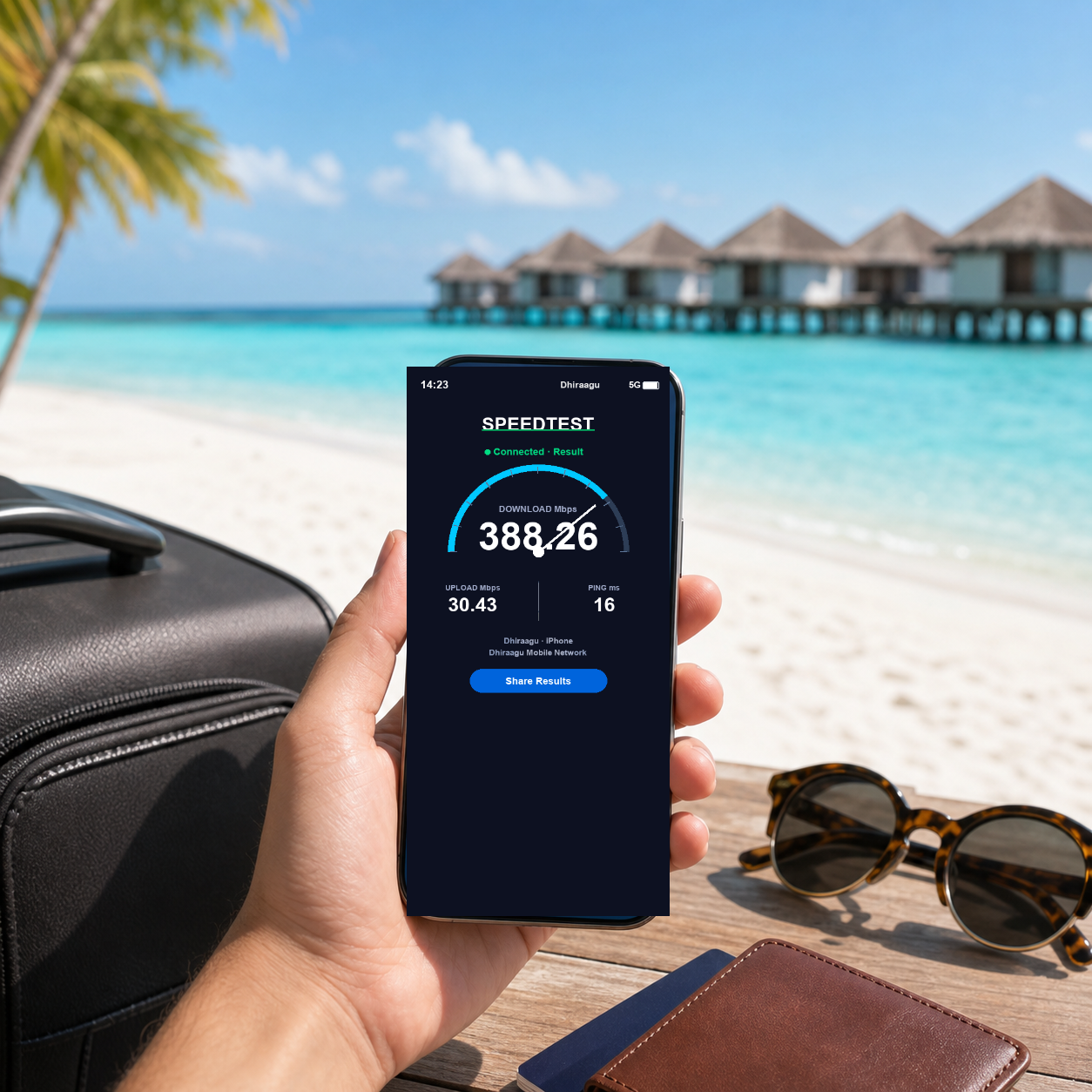
马尔代夫 eSIM - 10天20GB 或 30天30GB 总流量
马尔代夫 eSIM - 10天20GB 或 30天30GB 总流量
常规价格
HK$722.00 HKD
常规价格
促销价
HK$722.00 HKD
数量
📝 Product Description
📝 Product Description
🌏 马尔代夫最佳 eSIM
总流量套餐:10 天 20GB 或 30 天 30GB。流量用完即停止上网,不会降速续用。即时发送 QR 码,快速设置。
- ✓ 10 天 20GB 或 30 天 30GB
- ✓ 优质网络覆盖
- ✓ 即时发送 QR 码
- ✓ 24/7 WhatsApp 支持
📱 使用步骤
- 购买 – 通过电子邮件即时获取您的 QR 码
- 扫描 – 使用手机摄像头安装 eSIM
- 连接 – 抵达后开启数据漫游
⚠️ 购买前须知
- 确保您的设备支持 eSIM 且未锁定运营商
- eSIM 仅能安装一次 – 激活后请勿删除
- 含马尔代夫当地通话与短信:10 天方案 – 150 分钟当地通话、150 条当地短信及 6.5 美元话费余额;30 天方案 – 300 分钟当地通话、300 条当地短信及 9.5 美元话费余额,另含 70GB 社交应用流量(WhatsApp、WeChat、Facebook、Instagram、Viber、Snapchat、X、Threads)。话费余额也可用于拨打国际电话(大部分地区约每分钟 0.2–0.4 美元)。
- 抵达马尔代夫后,拨打 123 激活套餐
❓ 常见问题
问:我可以在出发前安装 eSIM 吗?
答:可以,您可以在旅行前扫描并安装 QR 码。只需在抵达前不要启用数据漫游 – 这样可以防止套餐提前生效。
问:这会影响我的原 SIM 卡吗?
答:完全不会。您可以在设置中轻松切换套餐,您的原始号码仍可正常接听电话和接收短信。
问:如果无法扫描 QR 码怎么办?
答:请先尝试删除旧的 eSIM 套餐,或重置网络设置后再试。如果仍然无效,请通过 WhatsApp 联系我们。
问:抵达后无法连接怎么办?
答:首先,请确保设置中的“数据漫游”已开启。等待 3-5 分钟以建立连接。如果仍然无法使用,请连接 Wi-Fi 并通过 WhatsApp 联系我们寻求帮助。
问:数据用完后会发生什么?
答:这是总流量套餐。流量用完即停止上网,不会降速续用。可另购新套餐继续使用。
📋 Specifications
📋 Specifications
- Network Speed: 4G/LTE/5G Auto-switching (carrier dependent)
- Hotspot Sharing: Supports single device (not guaranteed for all models)
- Activation Method: Scan QR Code to activate
- Compatible Devices: iPhone XR and above, eSIM-enabled Android phones
- Validity Period: Install and start using your eSIM within 30 days of purchase
- Usage Calculation: Days are counted from plan activation – for some plans this happens as soon as the eSIM is installed (see your order email)
⚡ Quick Setup Guide
⚡ Quick Setup Guide
iPhone Setup Steps:
- Go to "Settings" → "Cellular" → "Add eSIM"
- Scan the received QR Code
- Name your plan (e.g., Voya)
- Select this plan for cellular data
- Turn on "Data Roaming" after arriving at your destination
Reminder: Some plans start counting days as soon as the eSIM is installed. Check the activation instructions in your order email before installing it early.
❓ Frequently Asked Questions
❓ Frequently Asked Questions
Q: Can I install it before departure?
A: Yes, you can scan and install the QR Code before your trip, but do NOT enable data roaming until you arrive.
A: Yes, you can scan and install the QR Code before your trip, but do NOT enable data roaming until you arrive.
Q: Will it affect my original SIM card?
A: No, you can switch between plans in settings. Your original number can still receive SMS.
A: No, you can switch between plans in settings. Your original number can still receive SMS.
Q: What if QR Code scanning fails?
A: Please remove old eSIM plans or reset network settings, then try again.
A: Please remove old eSIM plans or reset network settings, then try again.
Q: Can't connect after arrival?
A: Make sure "Data Roaming" is ON. Wait 3-5 minutes for connection. If still not working, contact customer service via Wi-Fi at WhatsApp.
A: Make sure "Data Roaming" is ON. Wait 3-5 minutes for connection. If still not working, contact customer service via Wi-Fi at WhatsApp.
Q: Will service stop after data runs out?
A: It depends on the plan. Daily plans slow down after the daily high-speed allowance and reset at midnight; fixed total-data plans either slow down or stop once the data is used up. Please check the product description for your plan.
A: It depends on the plan. Daily plans slow down after the daily high-speed allowance and reset at midnight; fixed total-data plans either slow down or stop once the data is used up. Please check the product description for your plan.
⚠️ Important Information
⚠️ Important Information
- Unused eSIMs (QR code not yet installed or activated) can be refunded within 30 days of purchase, minus a 10% processing fee. See our Refund Policy. Once installed or activated, the eSIM can't be refunded, so please confirm device compatibility first
- iPhone XR or above required. Mainland China/Hong Kong/Macau versions may not support eSIM
- QR Code can only be bound to one device and cannot be transferred
- Wi-Fi is recommended at accommodations for better experience
- Signal may be weak in remote areas, islands, or mountains
- Contact customer service immediately if issues occur. Claims after trip completion not accepted
💬 Need Help?
WhatsApp Support (24/7)
Email: voya.esim@gmail.com
分享


马尔代夫 eSIM - 10天20GB 或 30天30GB 总流量
$722.00

通过 WhatsApp 联系我们